
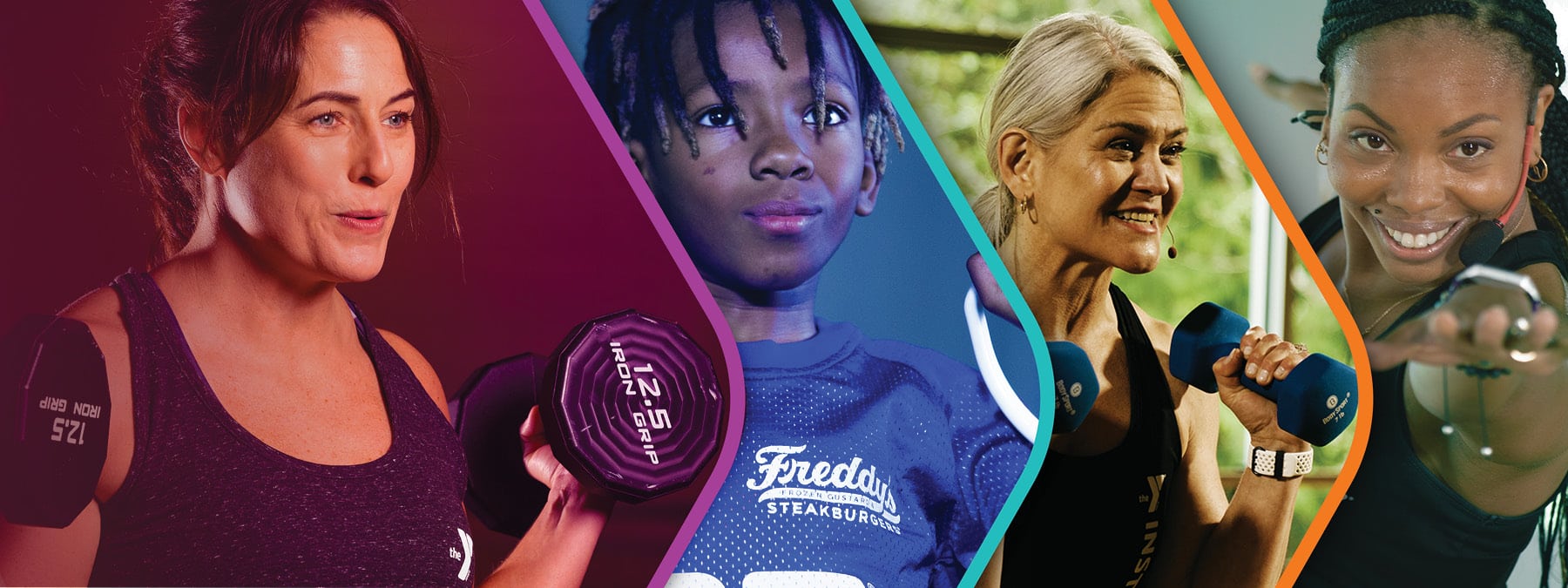
YMCA 360
Experience the Y Like Never Before.
We are thrilled to share our new all-in-one digital platform, YMCA 360, that brings together fitness, wellness, schedules, rewards, and community connection in one simple experience. Stream workouts, join challenges, track your progress, and stay connected to The Granite YMCA—whether you’re at home, on the road, or at the Y!
The best part? YMCA 360 is free for Granite YMCA members! We also offer a virtual-only membership, which grants unlimited access to YMCA 360 live classes and on-demand programming. Download YMCA 360 today and get the most out of your membership.
YMCA 360 Features & Benefits
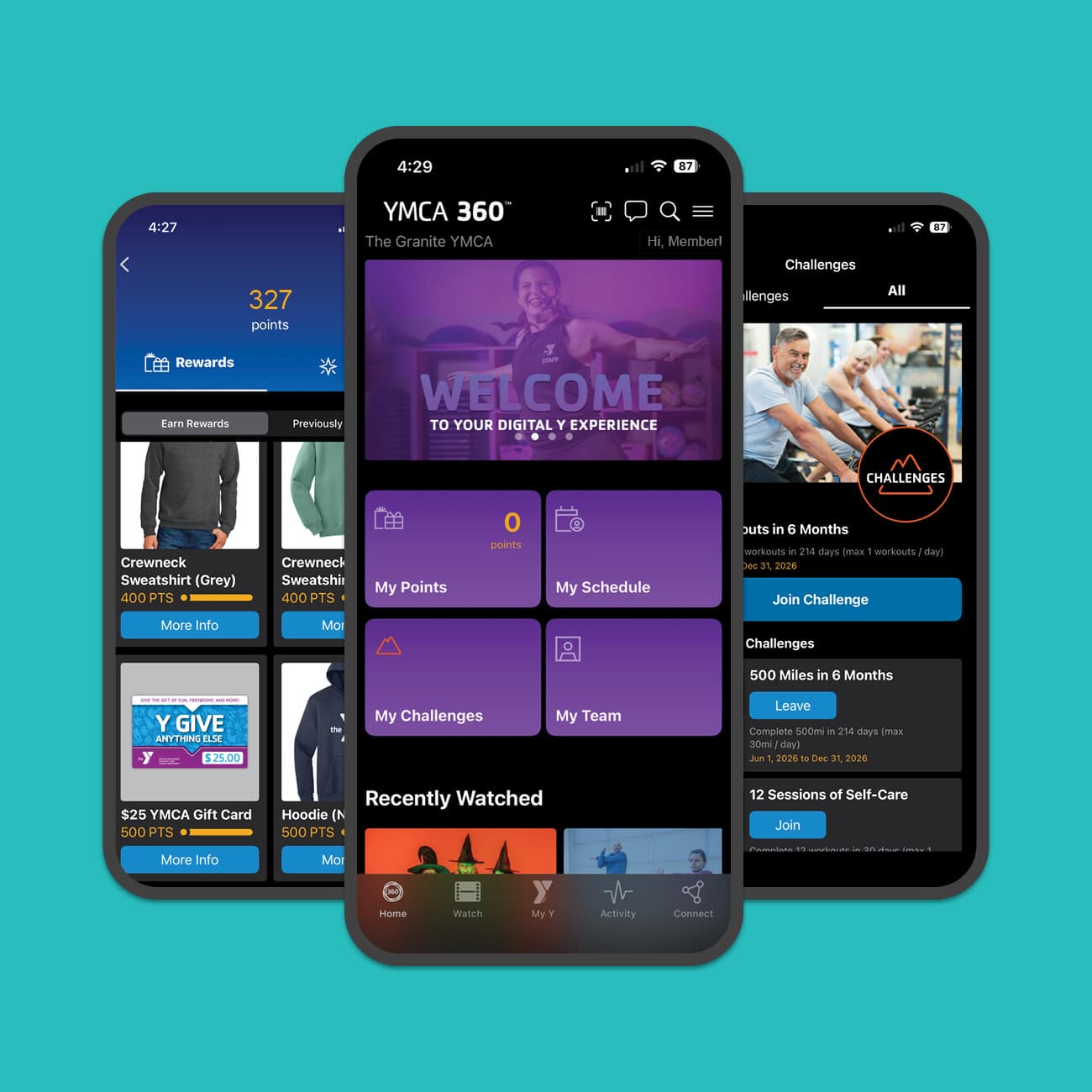
Earn. Track. Connect.
YMCA 360, an all-in-one digital platform, brings together fitness, wellness, schedules, rewards, and community connection in one simple experience.
- Scan into the Y with your mobile device
- Livestream dozens of virtual classes weekly
- Access hundreds of on-demand programs
- Track exercise and activity
- Join challenges and compete with other members
- Earn points and redeem them for rewards
- And so much more!
Download YMCA 360 today and get the most out of your membership!

Frequently Asked Questions
YMCA 360 is an on-demand video platform for our Y community, offering group exercise classes, youth sports training, well-being programs, and more—so you can stay connected wherever you are. Whether at home or on the road, you can take the Y with you and access your favorite classes and instructors.
With dozens of live classes and hundreds of on-demand programs available 24/7, YMCA 360 offers something for all ages and interests across mobile, web, and TV.
Complimentary access to YMCA 360 is included with most Granite YMCA memberships. As long as you remain an active member, you will have access to YMCA 360 and all of its features and benefits. Please note that third-party membership programs, such as Tivity or Renew Active, do no include YMCA 360 access.*
Yes, we do offer a YMCA 360-only membership. With this virtual membership option, you’ll gain access to YMCA 360 and all of its features, including live and on-demand videos, workout tracking, wellness challenges, rewards, and so much more. You’ll also receive one free day pass each month to visit any of our membership branches. This membership is an affordable option for those who would like access to the Y’s virtual programs, but do not plan to visit in-person more than once per month.
*To help support our third-party members during the app transition, we are providing a free trial of YMCA 360 through January 31, 2027. Once the trial ends, third-party members may opt to purchase a YMCA 360 add-on for their membership.
Yes, we do offer a YMCA 360-only membership. With this virtual membership option, you’ll gain access to YMCA 360 and all of its features, including live and on-demand videos, workout tracking, wellness challenges, rewards, and so much more. You’ll also receive one free day pass each month to visit any of our membership branches located in Manchester, Goffstown, Concord, and Portsmouth, NH.
This membership is an affordable option for those who would like access to the Y’s virtual programs, but do not plan to visit in-person more than once per month.
Third-party membership programs, including Tivity and Renew Active, do not include YMCA 360 access at this time. However, we understand that many of our third-party members have actively used our previous mobile app for years. To help support those members during this transition, we are providing a free trial of YMCA 360 through January 31, 2027. Once the trial ends, third-party members may opt to purchase a YMCA 360 add-on for their membership.
YMCA 360 can be accessed on any device that connects to the internet! Download the YMCA 360 app to your mobile device, tablet, or smart TV by visiting the app store and searching for “YMCA 360”. You can also access YMCA 360 on a desktop computer, laptop, or any other device by visiting www.ymca360.org.
You do not need to create an account to use YMCA 360, but a Granite YMCA membership is required. If you are a Granite YMCA member, you can access YMCA 360 using the email address associated with your Granite YMCA membership. Each family member should log in to YMCA 360 using the email address associated with their Granite YMCA membership. This will ensure that each individual has their own personalized YMCA 360 experience. If you are not a member yet, you can purchase a membership online, by visiting any of our branches, or connecting with one of our Membership Directors for assistance.
To log in to YMCA 360 for the first time:
- Open the YMCA 360 app or visit www.ymca360.org
- Enter the email address associated with your Granite YMCA membership
- Enter your zip code
- Select your home branch
- Enter the verification code sent to your email address
If you receive an error message when trying to log in to YMCA 360, you are likely entering the wrong email address. Please stop by your local Welcome Center if you need assistance logging in.
If, after logging into YMCA 360, you do not see your name listed under “Select a Profile,” try the following:
- Check that you are using the correct email address. If you have multiple email addresses associated with your Granite YMCA account, be sure you are logging in with the email address listed as your primary email in our membership system.
- Look for your legal name. The app may display your legal first name rather than a nickname or preferred name that you typically use.
If you still cannot find your profile, please stop by your local Welcome Center for assistance.
Yes, you will need to download the EGYM Fitness app if you would like to use the EGYM SmartStrength Circuit at our Manchester branch. If you need assistance, one of our wellness team members would be happy to help.
Yes! You can use the YMCA 360 app to scan into the Y, replacing the old app. Your membership barcode, along with your family members’ barcodes, will automatically be linked to your YMCA 360 account.
Yes, you will be able to see all of our wellness schedules through YMCA 360 or on our website at www.graniteymca.org/schedules.
Yes! YMCA 360 includes a messaging feature that helps you stay informed about important updates such as class cancellations, schedule changes, pool or facility closures, special events, and more.
By default, you will receive in-app messages from the home branch you selected when you first logged in to YMCA 360. If you’d like to change your home branch, open the Menu (☰), select Profile, and then Personal Details.
You can also choose to receive messages from any of our other branches. To manage your branch subscriptions, open the Menu (☰), select Profile, and then Messaging. From there, you can opt in to receive updates from as many or as few branches as you’d like.
Most messages will be delivered as in-app messages that you can view whenever you open YMCA 360. For urgent updates, such as unexpected branch closures or emergency notifications, we may also send push notifications through the app or email notifications.
You can manage push notifications through your device’s notification settings. If you no longer wish to receive email notifications, simply click the unsubscribe link at the bottom of any YMCA 360 email.
Once you begin using YMCA 360, you will be automatically enrolled in our new and improved rewards program and will begin accumulating points. These points can be exchanged for a wide variety of rewards including fitness gear, YMCA apparel, and even gift cards! New and exciting rewards will be added throughout the year.
You can earn points by:
- Installing the YMCA 360 app
- Scanning into the Y using the YMCA 360 app
- Tracking a workout
- Watching a video
- Joining a challenge
- Completing a challenge
- Connecting an app or wearable device
- On your birthday
Once you redeem a reward in YMCA 360, our membership team will be notified and will let you know when your reward is ready to be picked up!
YMCA 360 challenges are a great way to make workouts more fun and to push yourself to the next level. Compete in challenges with fellow members and let some friendly competition be your motivation! You will earn points for participating in challenges that can be redeemed for rewards.
To join a challenge, log in to YMCA 360 and navigate to the challenges tab. New challenges are available every month. We also offer year-long challenges and special challenges throughout the year, so be sure to check back frequently!
Yes, but only if you are an active member of each YMCA association and if both associations participate in YMCA 360.
When you log in to YMCA 360, you select a home branch that determines which YMCA association you will see in the app. While logged in, you will only have access to information, schedules, challenges, rewards, and other features associated with that YMCA association.
If you belong to multiple YMCA associations that use YMCA 360, such as The Granite YMCA and the Exeter Area YMCA, you can switch between associations by logging out and logging back in. During the login process, select a branch within the YMCA association you would like to access.
For example, if you are currently logged in and viewing the Exeter Area YMCA, but would like to access The Granite YMCA’s schedules, barcode, rewards, or challenges, you must log out, log back in, and select one of The Granite YMCA’s branch locations.
Please stop by or call your local Welcome Center for assistance with logging in, app access, or general questions.

Additional Resources
- Log In to YMCA 360
- Download On Apple Store
- Download On Google Play
- How To: Set Up Your YMCA 360 Account
- How To: Update Message Settings
- How To: View In-App Messages
- How To: Connect a Wearable Device (Apple)
- How To: Connect a Wearable Device (Android)
- How To: Track Activity
- How To: Join a Challenge
- How To: Earn Points
- How To: Redeem Rewards